Finding What I Put in Boxes
September 8, 2026
Like a lot of people, I have a lot of crap I want to keep, and a lot of it ends up in boxes in the garage. I didn’t have a good system for tracking what went where, so finding something meant opening boxes and looking through them. I thought I could have Codex add an inventory to Cotrugli, the archive I built for my personal assistant.
I like photographs as a way to capture information because my phone is always with me. Cotrugli already has a pipeline that picks up my photographs as they hit iCloud and processes them with facial recognition, optical character recognition (OCR), and summaries. I use it to keep track of the medications I take and log them for me. Photographing things as I put them into boxes seemed like another use for that same pipeline.
The first thing I tried it on was our family art collection. I’m constantly ordering things from Framebridge. Gmail has 62 distinct order confirmations between January 2016 and June 2026, though some were gifts. When we get tired of looking at a piece, Courtney takes it off the wall and it makes its way to the garage. Occasionally we rotate things back onto the walls, but that’s been a random process because we don’t have a good way to see what’s in the boxes.
I had Codex build a tool that generates random nine-character alphanumeric codes and prints them on my DYMO LabelWriter 450 Turbo. Each item gets a label, and each box gets a separate one. The first three characters are big enough to read while looking through a box, and the smaller six distinguish labels that happen to start the same way. There’s also a QR code that opens the item in Cotrugli.
For this Cars Land ride photograph, I took a picture with the 6ED label visible on the frame before wrapping it. That gives me a record of the art attached to the code I’ll be looking for later.
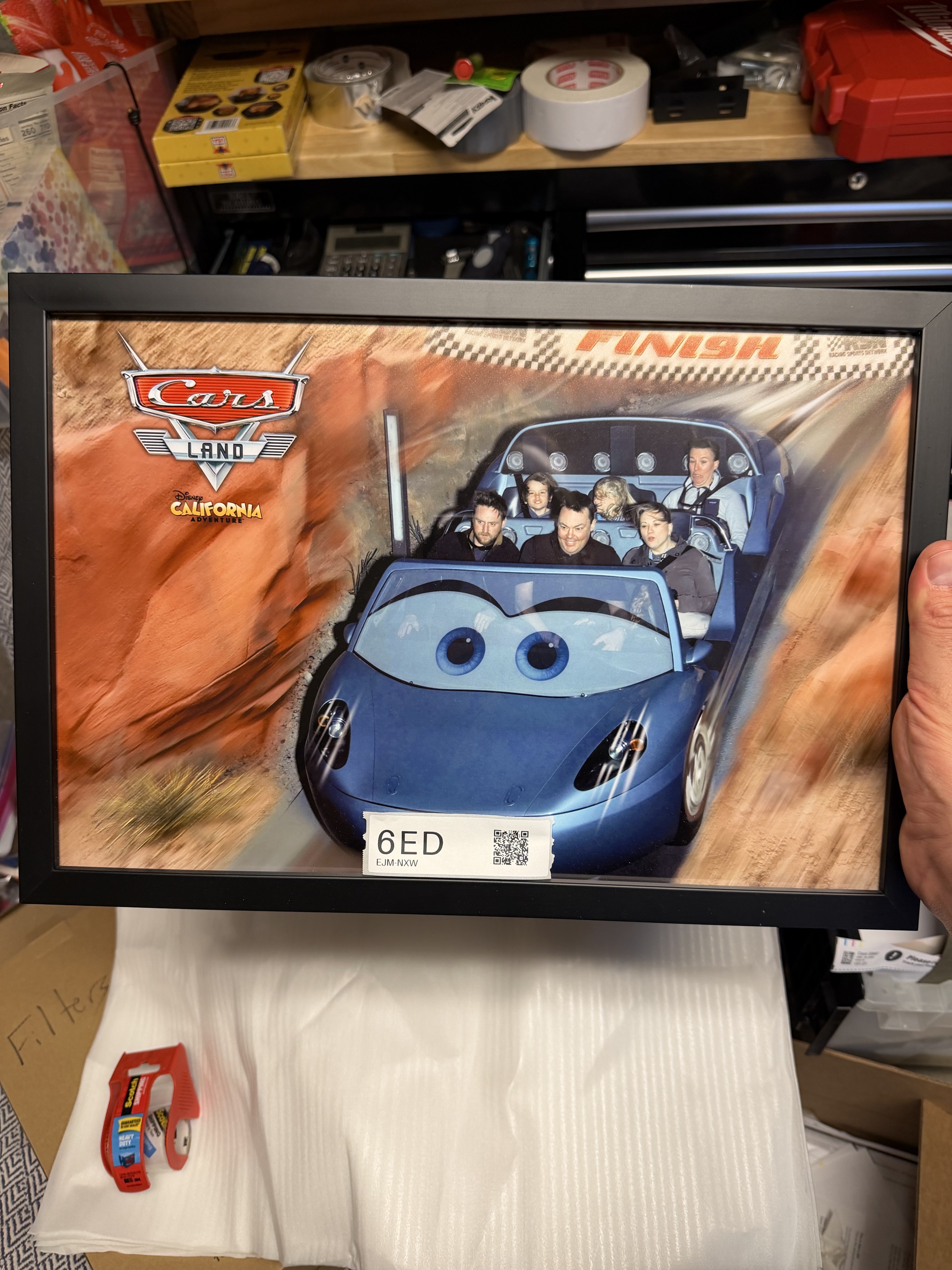
6ED before wrapping, with the photograph and its label in the same picture.
Then I put the frame into a cheap foam packing pocket, kept its label visible, and put it into box 74C. I took another picture with both the sleeve’s label and the box’s label in view. I repeated that for the other pieces as I packed them. The box has copies of its label on different sides so I can find it after it’s stacked in the garage.
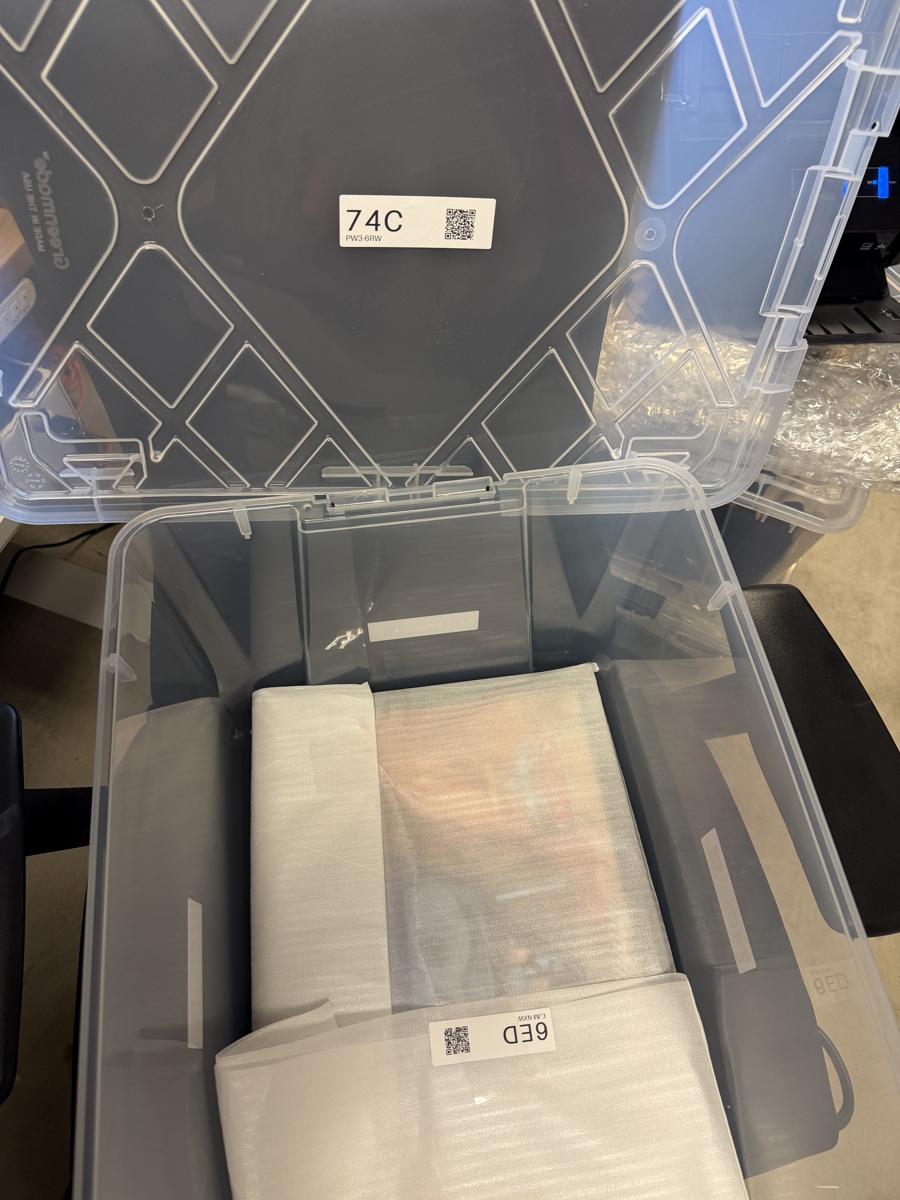
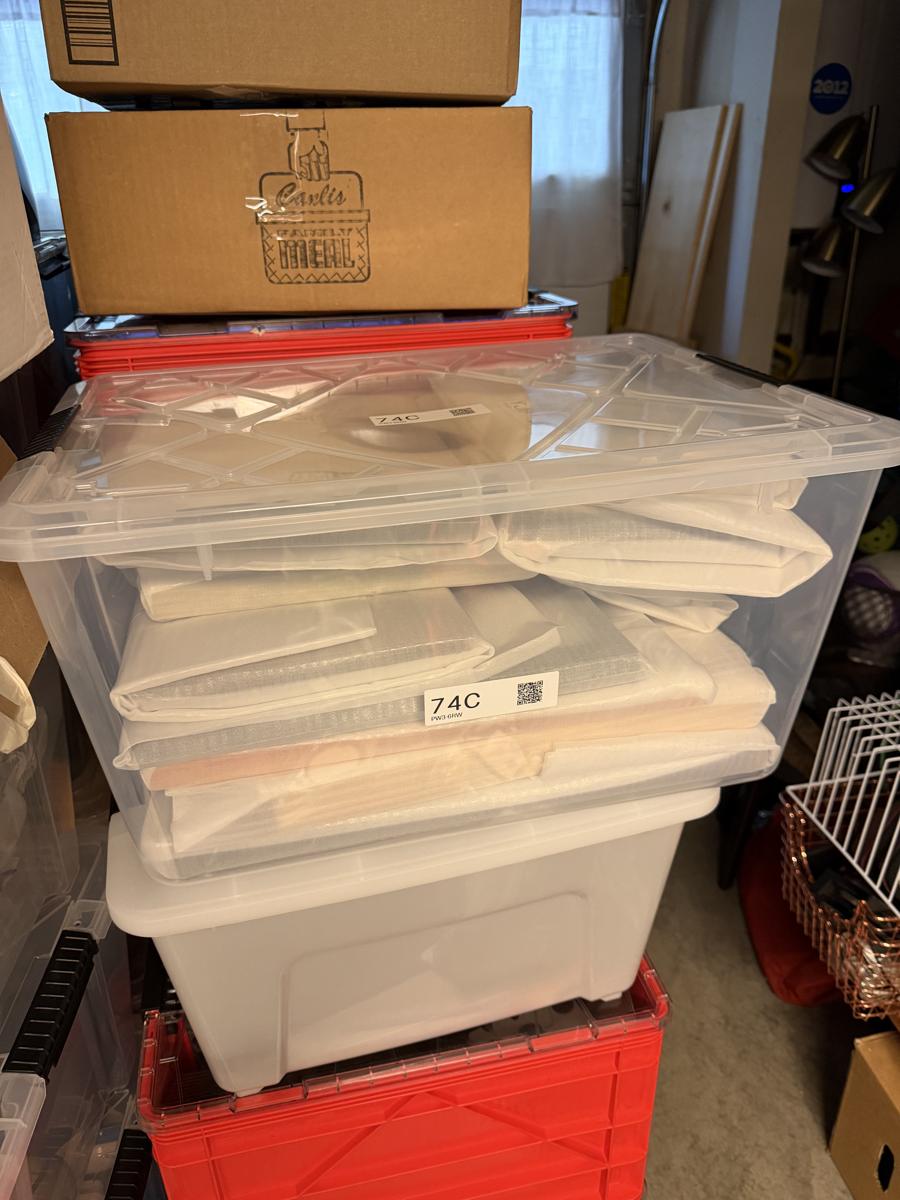
The labeled sleeve going into 74C, then the packed box.
Those photographs are the input to the inventory. As they arrive through iCloud, Cotrugli records the labels and uses the sequence of individual and paired sightings to associate items with boxes. The inventory is a view built on top of the photos and what the system has extracted from them. I can open a box’s page and see the original pictures of the art, with small thumbnails of the packing photos as evidence. The first box has 12 items associated with it.
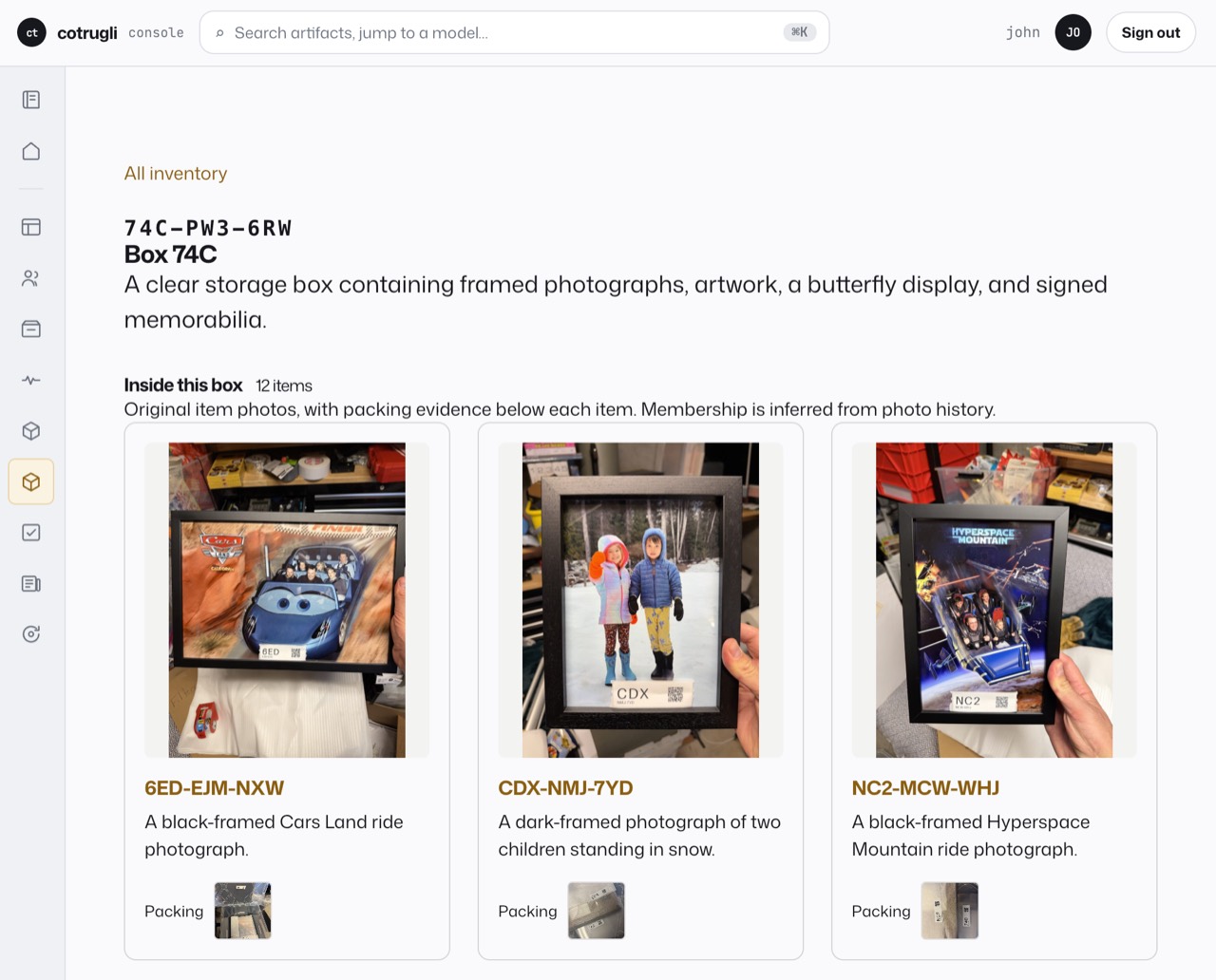
Box 74C in Cotrugli. The original photos show what’s inside each sleeve, with the packing evidence underneath.
After packing the first box, I opened Telegram and asked my agent Cora, “Where is Disneyland California adventure framed picture?” That was enough to find two likely matches: a Cars Land ride photograph labeled 6ED and an Incredicoaster ride photograph labeled EJJ. Both were associated with box 74C. My question was ambiguous, so Cora gave me both candidates with descriptions.
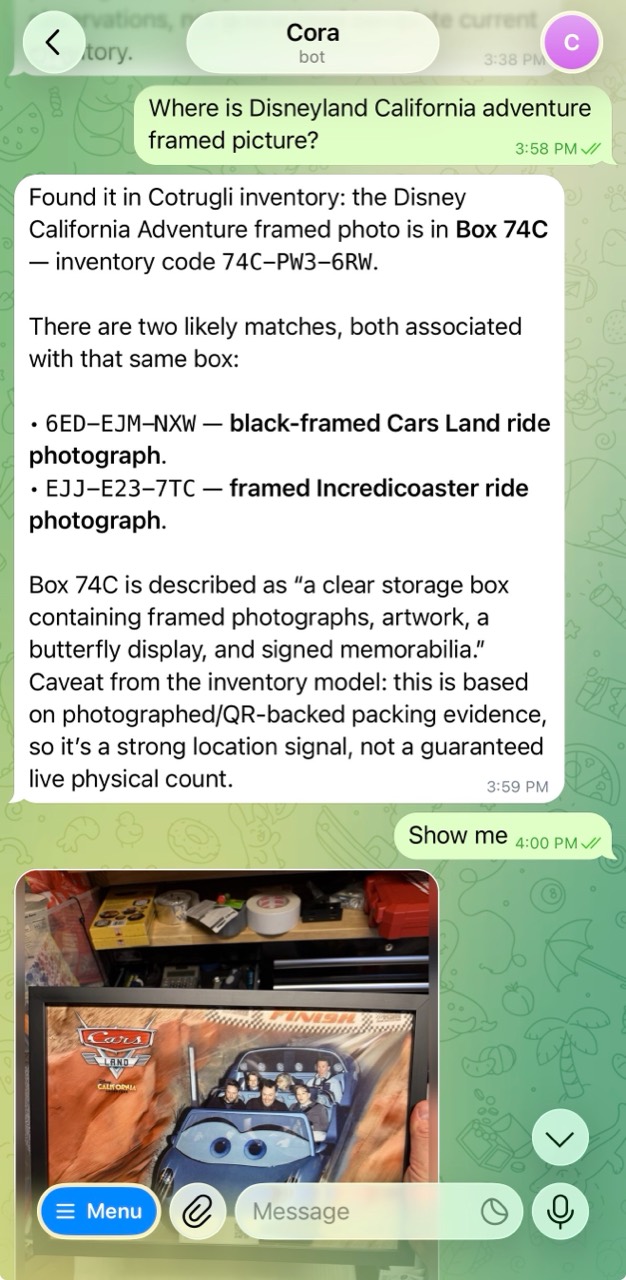
Then I said, “Show me.” Cora sent the original photograph of the Cars Land frame, taken before I covered it with foam. I could see the picture itself and the 6ED label on the frame. A description helps with search, but seeing the art is how I can recognize which piece it found.
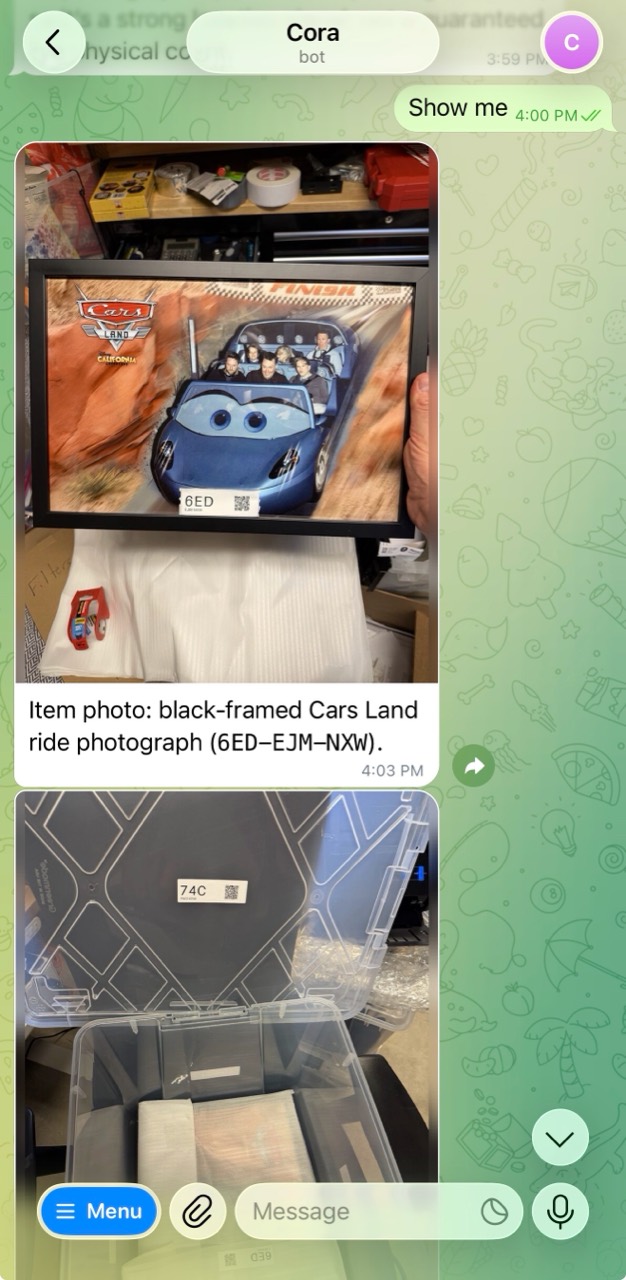
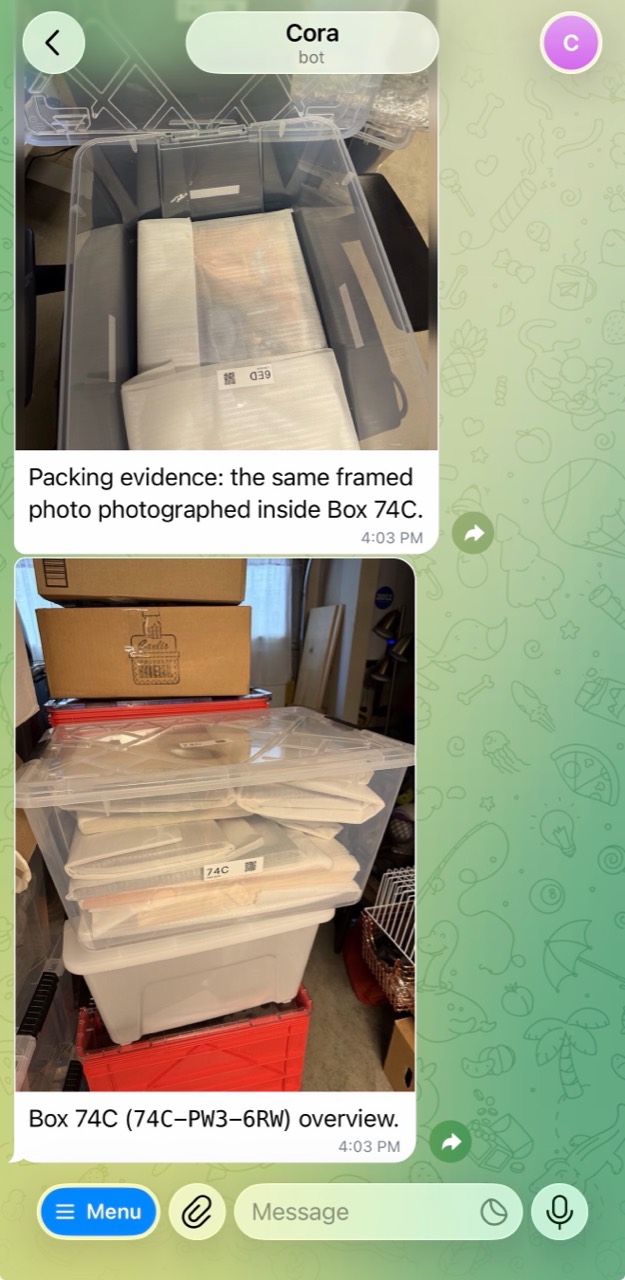
Cora also sent the packing photograph of that sleeve inside box 74C, followed by a wider picture of the packed box. The original tells me what’s in the sleeve, the packing photo connects the sleeve to the box, and the overview shows me which container to look for. I can look for 74C on the outside, then 6ED among the sleeves, without unwrapping the other frames.
Appendix: How It’s Built
Cotrugli keeps the original artifacts and durable records of the observations made about them. The inventory is a projection: a view rebuilt from those records. A label gets an identity, a photograph records a sighting of that identity, and later corrections add records describing what changed. The original photo remains available as evidence. That lets the inventory’s presentation and grouping rules evolve without making the first interpretation of a photo permanent.
The local command-line tool, cotrugli-label, prints directly over USB using libusb. I don’t need DYMO Connect or a configured print queue for this workflow. Creating a label is also offline. The tool generates a random 128-bit identity, derives the printed code from it, and puts the complete identity into a Cotrugli URL in the QR code. Printing a sticker doesn’t create an inventory record. The server registers it when the label first appears in an ingested artifact.
The printed format is HKX-44C-HHH, with HKX much larger than the rest. I chose three big characters because that’s what I want to find while looking through boxes. The smaller six characters disambiguate repeated prefixes. The alphabet is restricted to 234679ACDEHJKMNPRTWXY, which removes zero, the letter O, and several other lookalikes. Even the complete printed code can collide, so the full identity in the QR URL remains authoritative. An ambiguous text match must stay unresolved until there’s enough information to distinguish it.
The distinction between new labels and copies is explicit in the CLI:
# Twelve distinct identities
cotrugli-label new --count 12 --print

# One new identity, printed five times
cotrugli-label new --copies 5 --print
Each batch also produces a JSON manifest that I can use to reprint the same identities. That file is a print receipt, not a database of everything I own. If a print needs retrying, the retry uses the existing identity. Generating another label would give the same physical object a different identity before I’d even started photographing it.
Photos use Cotrugli’s normal ingestion and extraction pipeline. QR recognition records label sightings, and the Model Context Protocol (MCP) tools let an agent look up inventory, find associated artifacts, and record corrections. The inventory skill tells the agent how to search descriptions and follow container links, as well as how to use the printer commands. Search currently matches literal text, so the agent needs to choose useful phrases from my question and try alternatives when necessary. The tool itself is not a semantic search engine. It returns the item descriptions, photo references, and likely containers that an agent can use to answer and show its evidence.
Grouping comes from repeated co-occurrence and capture order. An item photographed individually and then photographed alongside a common label provides evidence that it’s being packed with that label. When several items follow that pattern across separate photographs, the common label becomes a likely container. An isolated group photo provides an association, but doesn’t establish which label belongs to the box. Missing or conflicting capture times also limit what the system can infer. It needs the sequence in the photographs, even if the files finish uploading in a different order.
These relationships remain inferences. A photo can show something beside a box without proving it went inside, and one piece from the first batch, 9J4, didn’t fit in box 74C. I corrected that association so it stays outside the box’s contents. The system keeps the packing photographs attached to the relationship so I can inspect the evidence and correct it. It also supports references to multiple boxes rather than assuming an item has one permanent home.
The main photo defaults to the earliest individual photograph, with an override when another picture shows the art more clearly. The box page uses that photo for the item’s card and keeps the packing evidence small. Artifact detail pages show all active inventory links, so I can move between a photo, a sleeve, and its box.
Automatic descriptions wait for the photo’s extraction dependencies, including face recognition, and the current summary to finish. They use the first sentence of that summary. A pending or stale input keeps the automatic description pending, and a photo containing several labels doesn’t supply an individual item’s description by itself. I can also write or edit the sentence directly. The pilot’s descriptions were reviewed individually.
Some pilot sightings were recovered using OCR, saved label identities, and review of the photos. I’m ordering bigger labels, but the automatic fallback still needs work. The next version needs to detect candidate labels independently of QR success, retain incomplete or ambiguous readings, and surface them for review. A visible Cotrugli marker and a complete code on an OCR-friendly line are options for future labels. There’s also an identity problem to preserve in that design: reading the nine printed characters cannot reconstruct a separate random 128-bit identity. A previously unknown label needs either a later QR sighting or another source of its full identity before the system can resolve it safely.
John